Start with a screenshot template
Try a centred device, a playful tilt, a closing headline or a connected two-panel composition. Your images and copy stay intact when you switch layouts.

A FREE TOOL BY SQUEEZE
A free app screenshot maker for developers, designers and founders. Turn raw app screens into polished device mockups for store listings, launch pages and social posts.
Create app screenshots — freeNo account. No subscription. No added watermark.
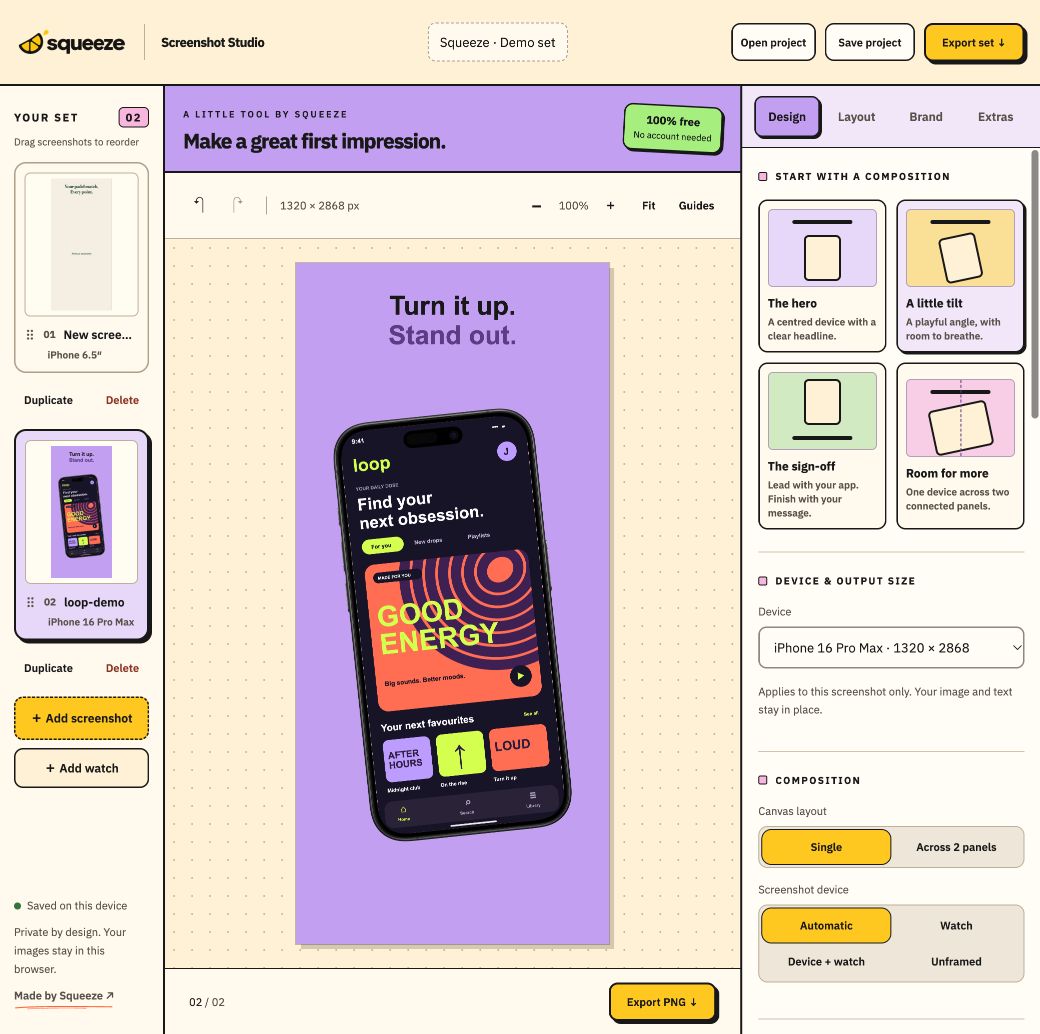
A working app still needs a clear introduction. Screenshots explain what people can do with it before they install it. Screenshot Studio brings device frames, headlines, backgrounds and exports into one browser workspace, so you can spend less time arranging the same design at different sizes.
It is part of Squeeze’s collection of independent products, alongside Tally and Volara. The music app in this preview, Loop, is fictional artwork made to demonstrate the tool.
Try a centred device, a playful tilt, a closing headline or a connected two-panel composition. Your images and copy stay intact when you switch layouts.
Use alignment guides to match devices and headlines across slides. Save colours, fonts and optional logos as brand kits for the next release or another app.
Choose iPhone, iPad, Apple Watch or Android output presets, or enter custom dimensions. Review multiple sizes before downloading a PNG or a ZIP of your set.
Your screenshot files are processed in your browser. Projects autosave locally, and downloadable project backups let you keep a copy outside browser storage.
Create app marketing screenshots, framed device mockups and images for product launches. Start with a real screen from your app, add a short feature headline, then carry the same style across the rest of the set. You can leave images unframed when the interface should speak for itself.
For App Store or Google Play submissions, check the current requirements for your target device category. The tool provides output sizes and quality warnings, but cannot guarantee store approval or generate a tablet interface from a phone screenshot.
Open the editor, add your screen and try a layout. The screenshot guide and FAQ explains the workflow, privacy and export options.
Open the free screenshot makerNeed help building the app itself? Explore Squeeze’s app development and AI automation services or tell me about your project.